Contrasts, comparisons, and plots
Source:vignettes/comparisons-and-plots.Rmd
comparisons-and-plots.RmdUse this workflow after the main PheWAS runs successfully. It answers two different questions:
| Need | Function |
|---|---|
| Compare a base and adjusted model on exactly the same participants | run_phewas_contrast() |
| Summarize agreement between two completed PheWAS result sets | compare_phewas() |
The examples use synthetic data.
library(phewasFlow)

example <- phewas_example_data(n = 300)
data <- example$data
eligibility <- list(
  min_n = 100L, min_cases = 10L, min_controls = 10L,
  min_outcome_levels = 3L
)

make_spec <- function(id, covariates) {
  phewas_spec(
    analysis_id = id,
    anchor = "pgs",
    direction = "phenotypes_as_outcomes",
    phenotypes = example$forward_metadata,
    covariates = covariates,
    anchor_type = "numeric",
    anchor_transform = "zscore",
    eligibility = eligibility,
    fdr_threshold = 0.05
  )
}

base_spec <- make_spec("base", "age")
adjusted_spec <- make_spec("adjusted", c("age", "sex"))
Matched nested models
run_phewas_contrast() forms one complete-case set per
phenotype and fits both models on exactly those rows. Use it when the
scientific question is how an added covariate changes an association.
This avoids mistaking a change in the analyzed participants for a change
in the model.
contrast <- run_phewas_contrast(data, base_spec, adjusted_spec)
contrast$associations[, .(
  phenotype, base_estimate, adjusted_estimate, estimate_change,
  delta_r_squared, partial_r_squared, status
)]
#>           phenotype base_estimate adjusted_estimate estimate_change
#>              <char>         <num>             <num>           <num>
#> 1:     pheno_binary     0.5341180         0.5653552     0.031237244
#> 2: pheno_continuous     0.6802479         0.6765848    -0.003663083
#> 3:      pheno_count     0.3204711         0.3124958    -0.007975290
#> 4:    pheno_ordinal     0.7694369         0.7604123    -0.009024620
#>    delta_r_squared partial_r_squared status
#>              <num>             <num> <char>
#> 1:              NA                NA     ok
#> 2:     0.002198277       0.003392675     ok
#> 3:              NA                NA     ok
#> 4:              NA                NA     ok
Delta and partial R-squared are reported only for continuous nested models.
Aggregate-result comparison
Use compare_phewas() to describe two completed runs.
This does not refit the models or force them to use the same
participants, so inspect the sample counts before interpreting
differences.
base <- run_phewas(data, base_spec)
adjusted <- run_phewas(data, adjusted_spec)
comparison <- compare_phewas(base, adjusted)
comparison$metrics
#>      n_x   n_y n_mutually_successful fdr_x fdr_y fdr_intersection fdr_union
#>    <int> <int>                 <int> <int> <int>            <int>     <int>
#> 1:     4     4                     4     4     4                4         4
#>    fdr_jaccard sign_concordance standardized_estimate_correlation
#>          <num>            <num>                             <num>
#> 1:           1                1                         0.9995841
#>    standardized_estimate_rank_correlation p_value_rank_correlation
#>                                     <num>                    <num>
#> 1:                                      1                        1
#>    native_compatible native_correlation native_intercept native_slope
#>               <lgcl>              <num>            <num>        <num>
#> 1:             FALSE                 NA               NA           NA
#>    native_rmse
#>          <num>
#> 1:          NA
The comparison includes phenotypes that succeeded in both runs. Effect correlation, slope, and RMSE are reported only when the outcome direction, units, reference groups, and effect measures can be compared.
Plots
Plot functions return ggplot objects. Writing files is a separate step.
manhattan <- plot_phewas_manhattan(
  base,
  top_label_n = 3,
  label_mode = "description",
  title = "Base-model PheWAS"
)
manhattan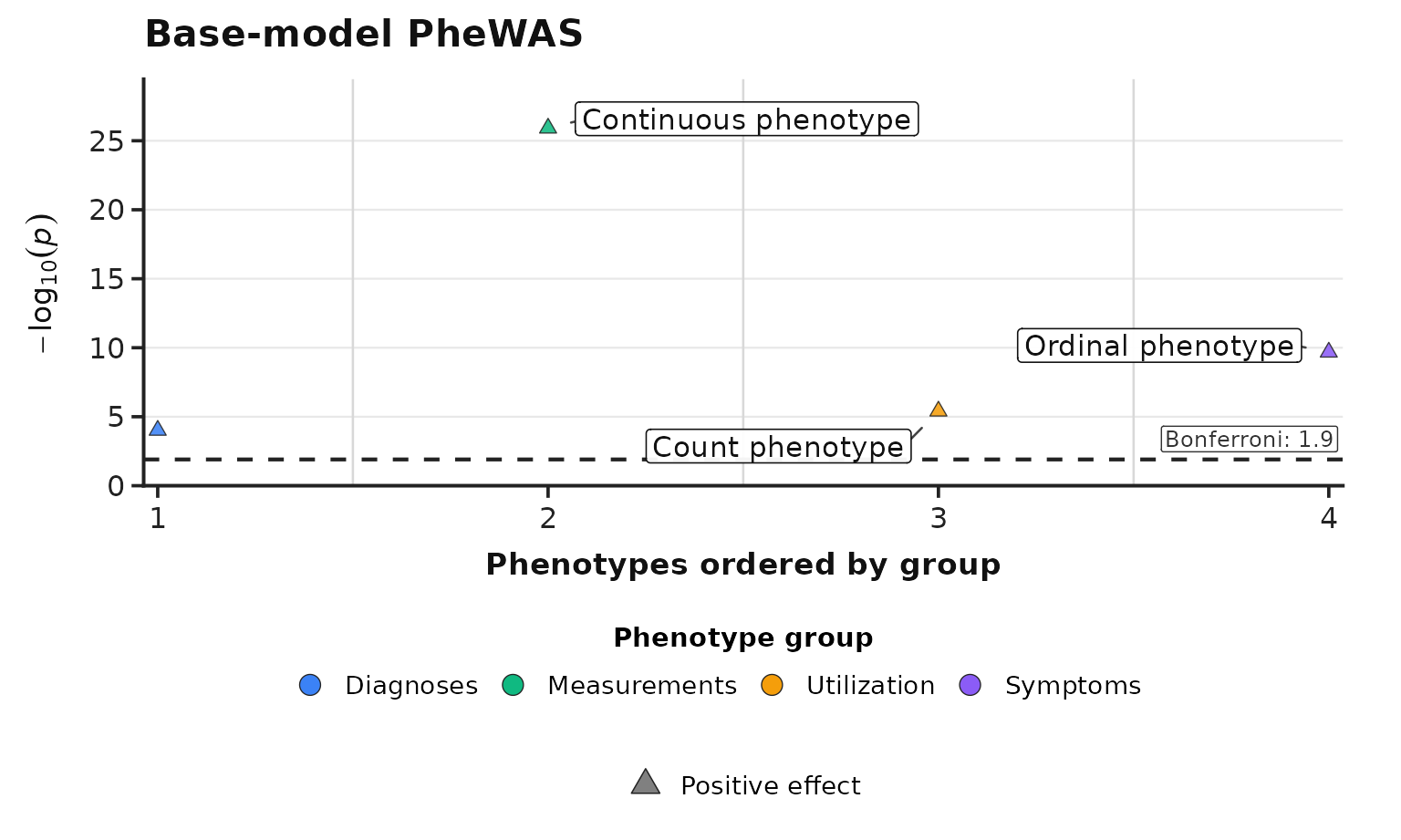
Phenotypes are grouped using group and colored using
color from the phenotype metadata. Upward and downward
triangles show effect direction. Use label when specific
phenotypes must be named, or top_label_n to label the
strongest results.
The Manhattan and volcano views use the same ordered phenotype-group
legend, colors, effect-direction symbols, y-axis styling, and annotation
style. Their main difference is the x-axis: Manhattan orders phenotypes
by group, while the volcano plot shows fitted effects. This shared
legend is the default. To put group names on the Manhattan x-axis
instead, use group_display = "x_axis". Use
group_display = "auto" when you want compact group sets on
the axis and crowded sets in the legend. For command-line runs, put the
same value in plot.group_display in the YAML file. With an
x-axis layout, group_label_rows controls how many rows are
available and group_wrap_width controls line wrapping.
For a very large -log10(p) value, use
axis_break_mode = "on" with an axis_break_top
chosen for the displayed range.
Bonferroni is the default displayed threshold. Use
significance = "bh" or significance = "none"
when that matches the planned figure.
The volcano view puts the fitted coefficient on the x-axis and
-log10(p) on the y-axis:
volcano <- plot_phewas_volcano(
  base,
  top_label_n = 3,
  label_mode = "description",
  title = "Base-model PheWAS"
)
volcano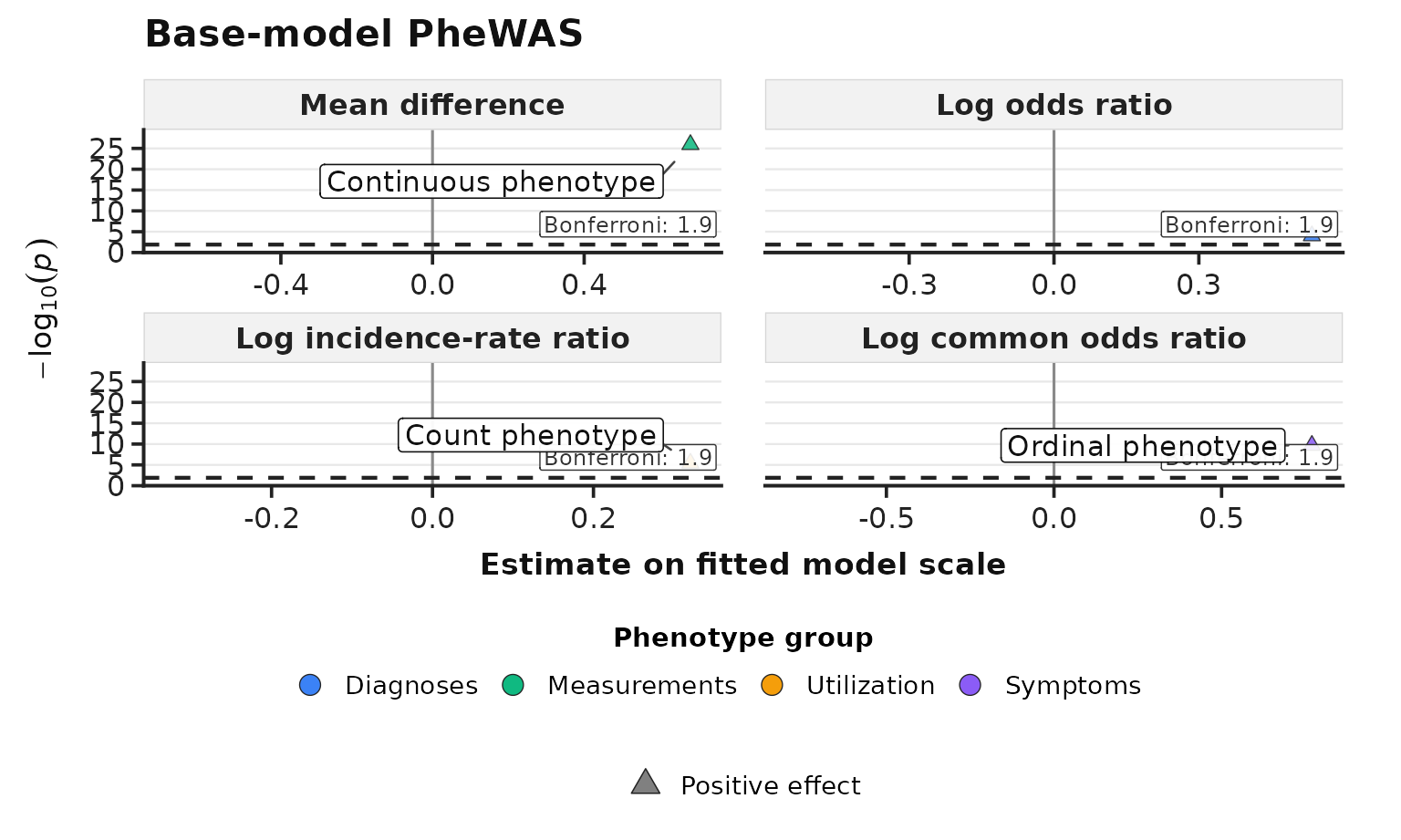
The fitted coefficient remains on its model or link scale. It is not
the transformed native_effect such as an odds ratio. If the
result contains different effect measures, the volcano plot gives each
measure its own panel. Do not compare coefficient magnitudes across
panels or across variables with different units.
Save each plot as both a PNG for review and a vector PDF for
publication or post-editing. save_phewas_plot() accepts a
vector of output paths:
save_phewas_plot(
  manhattan,
  c("results/base-phewas.png", "results/base-phewas.pdf"),
  width = 12,
  height = 7,
  dpi = 300
)

save_phewas_plot(
  volcano,
  c("results/base-phewas-volcano.png", "results/base-phewas-volcano.pdf"),
  width = 12,
  height = 7,
  dpi = 300
)
plot_phewas_concordance(comparison)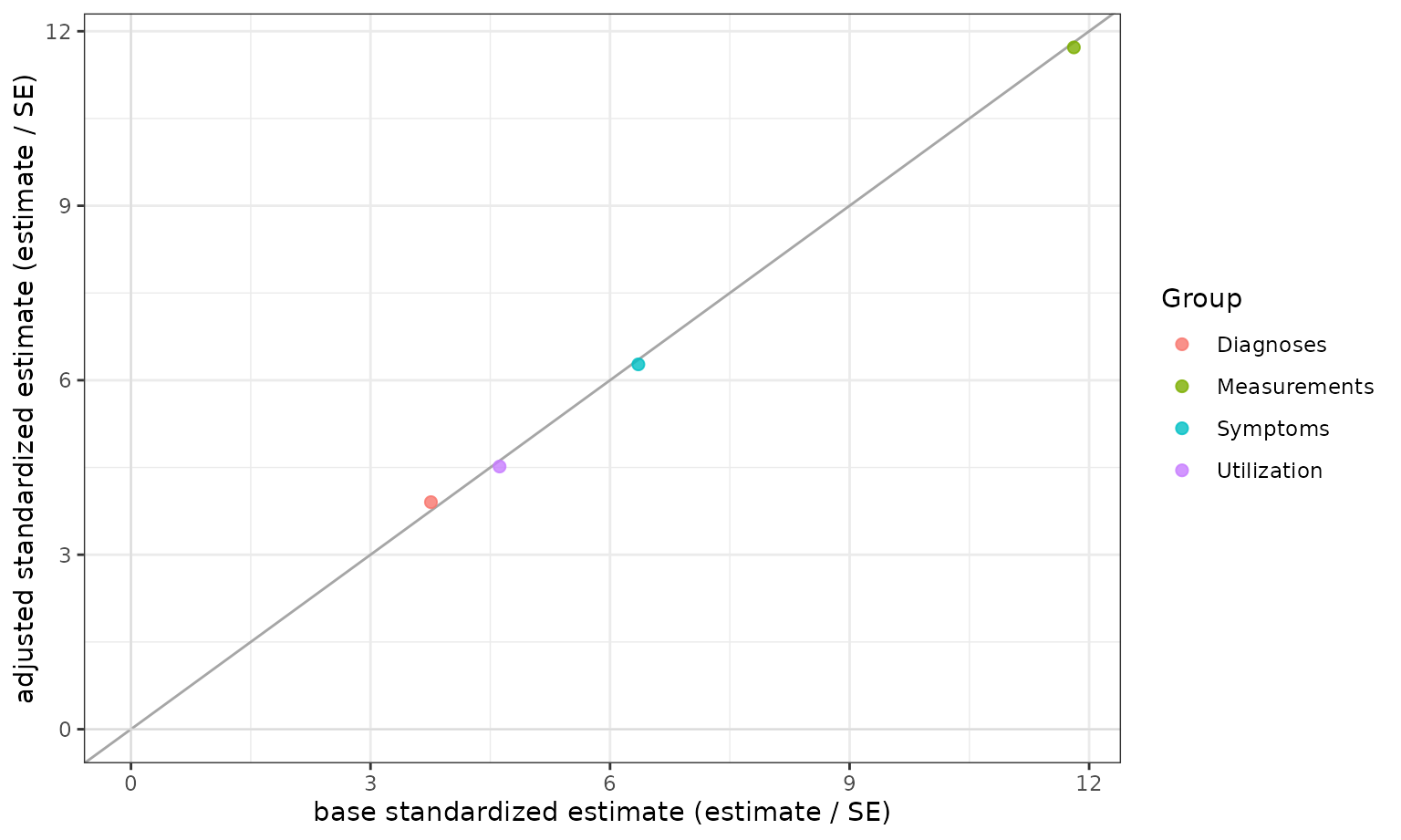
plot_phewas_category_overlap(comparison)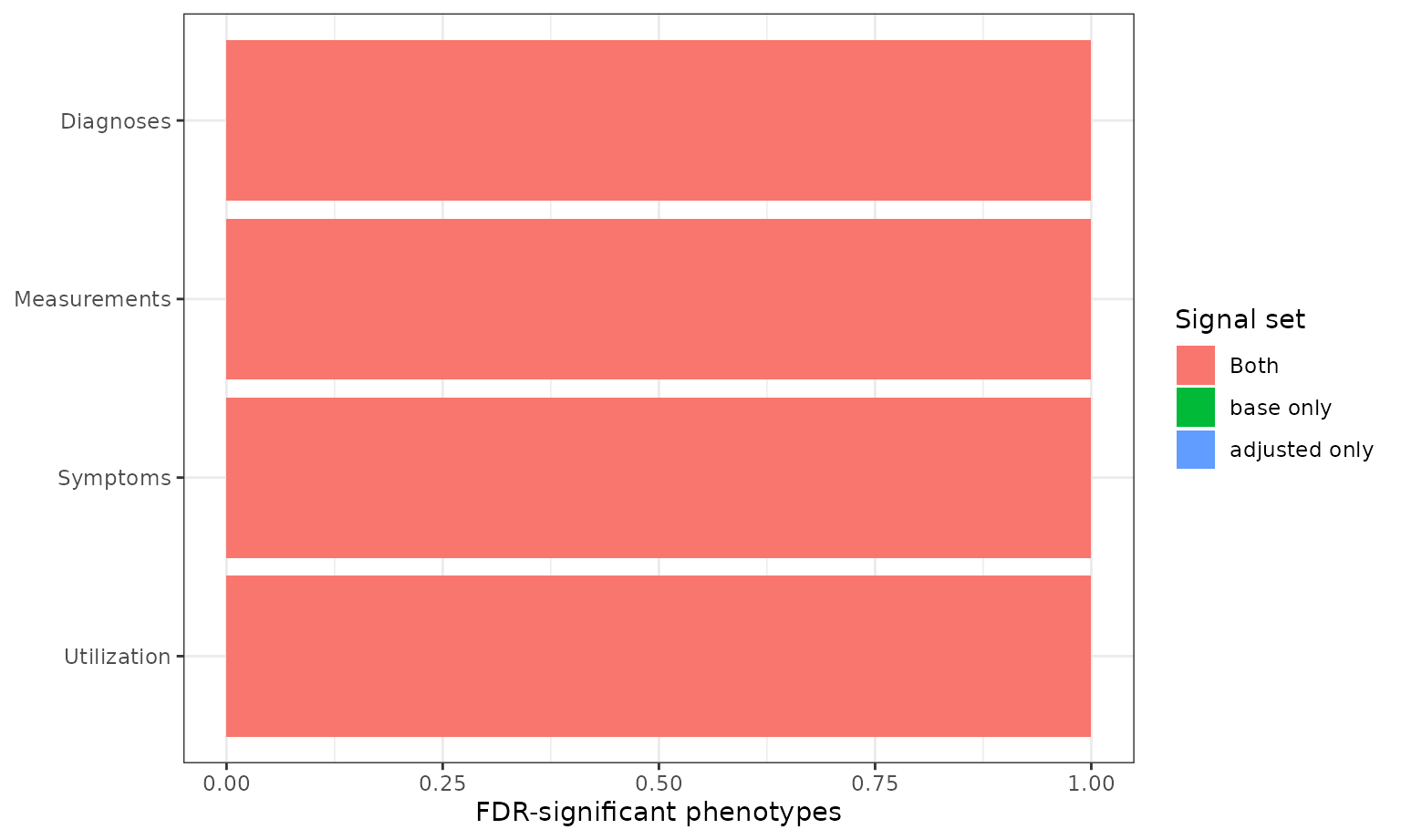
plot_phewas_forest(
  list(base, adjusted),
  phenotype_ids = example$forward_metadata$phenotype,
  run_labels = c("Base", "Adjusted")
)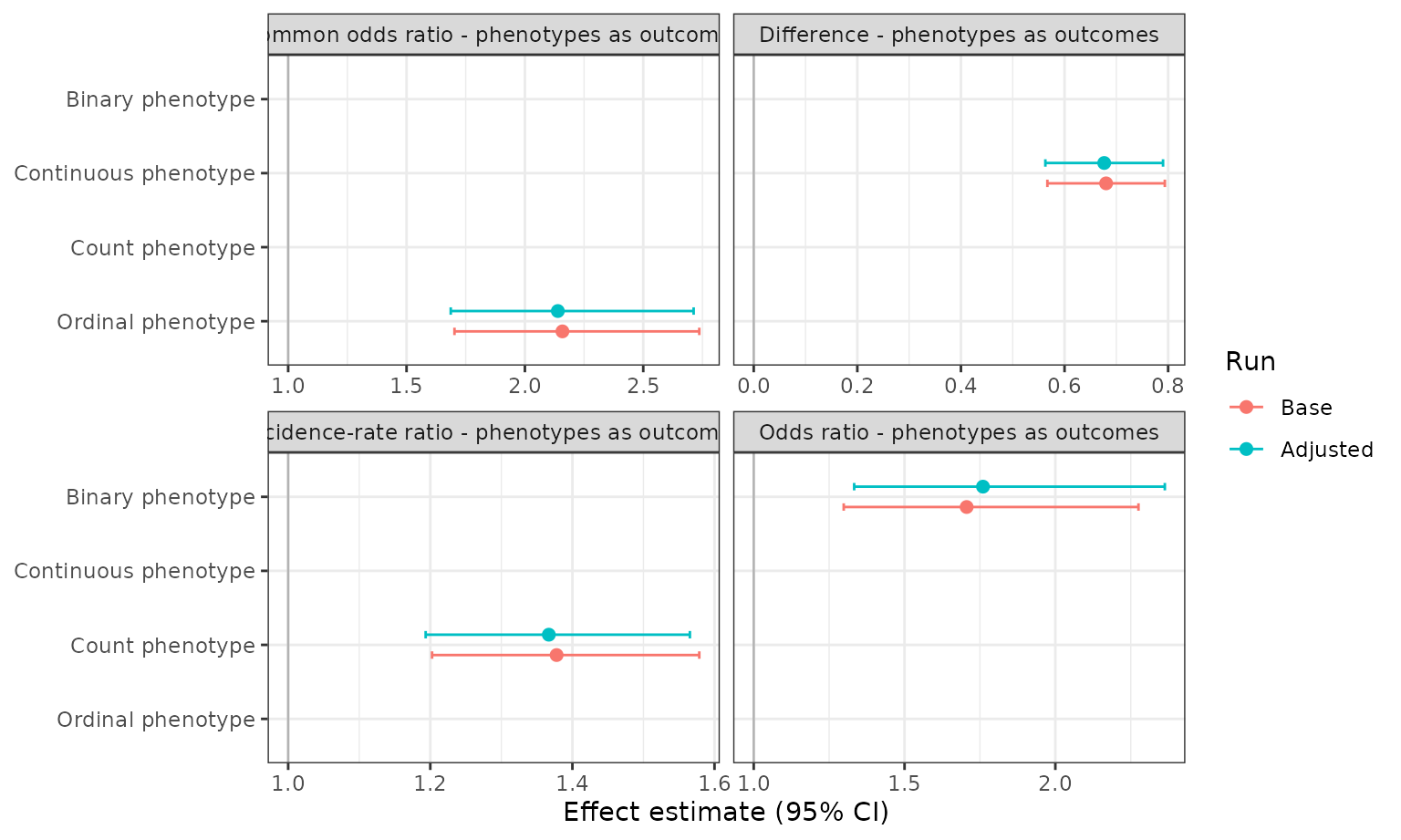
Requested labels, highlights, or forest-plot phenotypes must exist
among the successful results. Axis limits also stop with an error if
they would hide a data point. Use audit_file when you also
want a JSON record of the plotted selections.