
Practical GenAI · Part 2
Build research code
you can explain.
Repair a Python or R plot in VS Code with GitHub Copilot. Ask about the code, review a plan, and inspect every change before saving it in Git.
Practising what we teach: this guide and exercise were developed with substantial AI assistance in writing, coding, testing, and review. They are provided as is, without warranty, to the extent permitted by applicable law. Review the code, agent instructions, permissions, and results before use. Read the AI-assistance disclosure, use guidance, and warranty notice.
Pick up where Part 1 leaves off
Part 1 introduced planning, prompting, and reviewing code. Here you put those habits to work on a plot with overlapping bars and clipped labels.
Choose Python or R, complete the VS Code + Copilot setup, and follow six lessons online or offline. Clone the example through Source Control, repair the plot without changing its values, and leave a result a labmate can rerun. You can complete the main path without typing shell commands.
Prefer Claude Code? Its VS Code extension supports the same exercise and visual Git review. Command-line users have a complete CLI appendix.
Keep your judgment and coding skills. Working output can hide code you cannot explain or maintain. Review permissions, keep changes proportional to the task, and practise without AI so your work can continue if access becomes unavailable or prohibited. Read permissions and independent work.
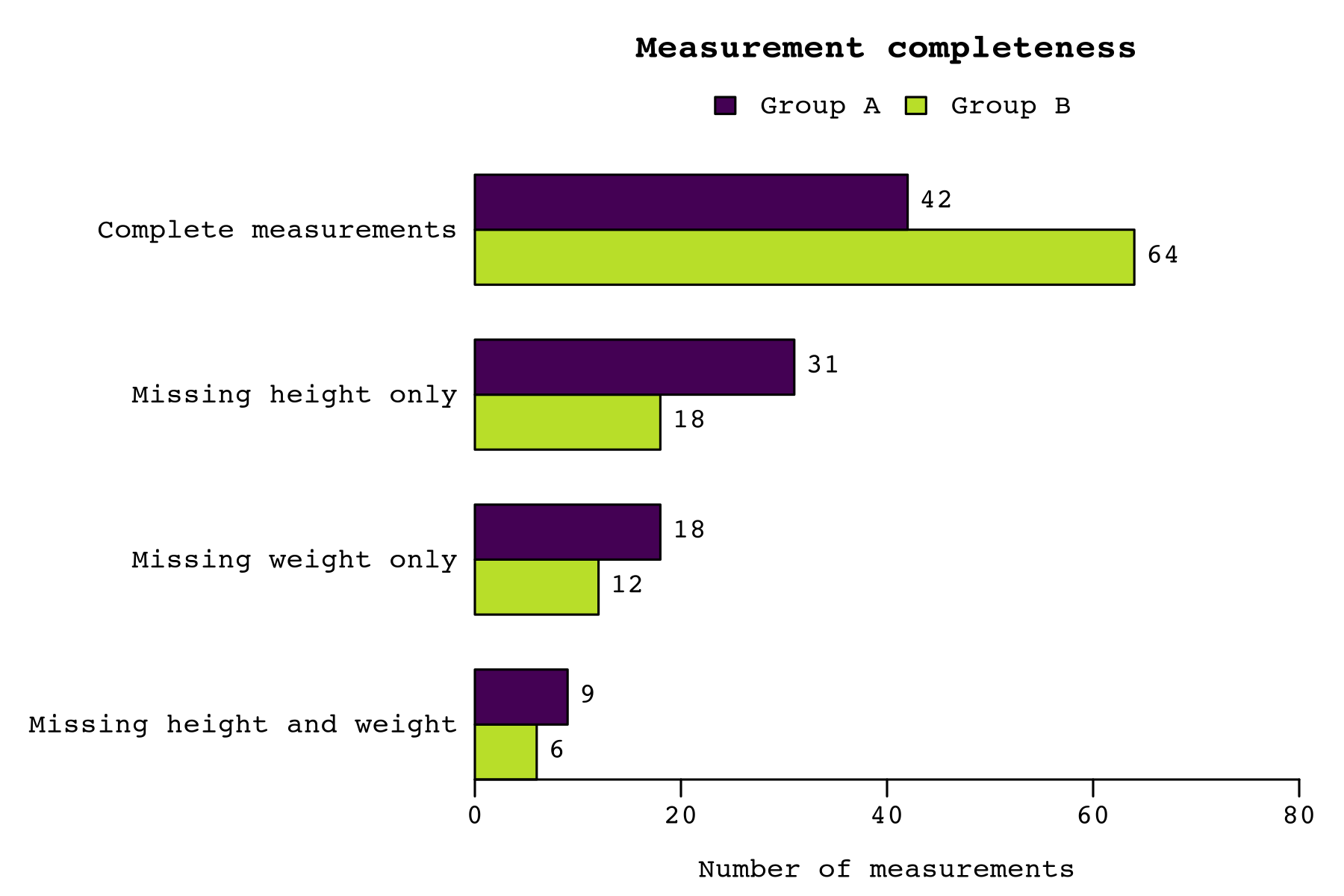
Your target: a readable chart for the fictional Journal of Unnecessarily Specific Figures (JUSF). The exercise shows the problem; its local figure specifications give the rules.
Make accessibility part of every figure: readable labels, sufficient contrast, groups identifiable without color, and reviewed alternative text.
If you are new to using GenAI for coding, begin with Part 1. If you already work in Python or R, start here; the lessons explain the agent controls and Git review.
A practical learning path
From the first run to a reviewed change
Keep the project small so you can see the whole workflow.
Establish a working baseline
Set up VS Code, ask Copilot to run the existing checks, and open the baseline plot in Explorer.
Open the quickstartMake the repository understandable
Use a README, agent instructions, a repository map, and data contracts to make expectations explicit.
Explore repository practicesChoose one small improvement
Use Ask to understand, Plan to agree on the repair, and Agent to implement and check it.
Work through the lessonsLeave a useful result
Compare the plots, review each diff in Source Control, and commit the source with a useful handoff.
Learn visual Git review
Set up VS Code + Copilot
Install the tools, sign in, clone the exercise, and make the first plot.
Detailed setupReuse the templates
Write a task brief, agree on the data, or hand off unfinished work.
Browse templates